Agent Chat
An MCP server that gives your AI agent a rich chat interface. Markdown, code blocks, canvas diagrams, quick replies, and voice — all in the browser.
See it in swe-swe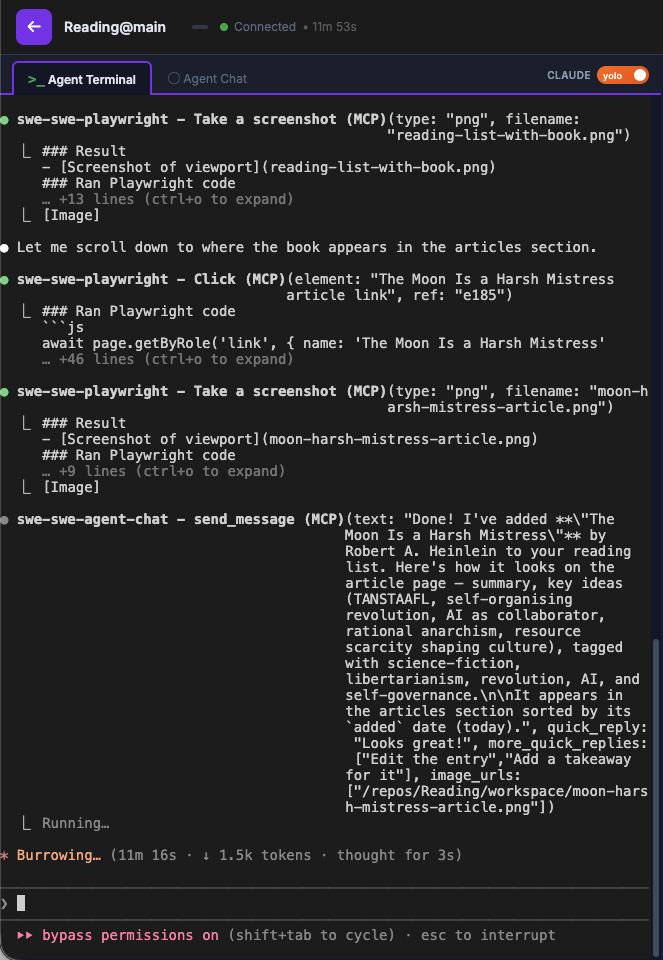
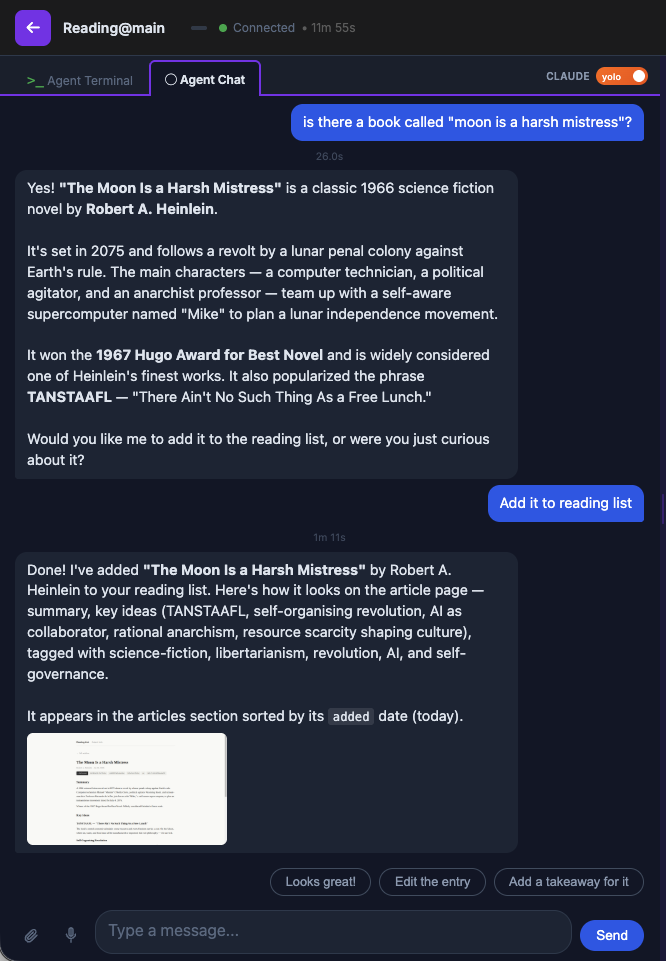
Rich markdown
Messages render with full markdown, syntax-highlighted code blocks, and blockquotes.
File drag & drop
Drop files into the chat to share them with the agent.
Images in messages
Agents can include screenshots and images inline in their messages.
Canvas drawing
Agents can draw diagrams and visualizations on an interactive canvas.
Voice conversation
Speak to your agent and hear responses via text-to-speech.
Quick replies
Agents can offer clickable response buttons for common actions.
How it works
Agent Chat runs as an MCP server alongside your AI agent. The agent calls tools to communicate with users through a browser-based chat UI.
Agent (Claude, etc.)
  │
  ├─ send_message("Here's what I found...")  →  Chat UI shows rich message
  ├─ draw([...instructions...])              →  Chat UI renders canvas diagram
  ├─ send_progress("Working on it...")       →  Chat UI shows progress indicator
  └─ check_messages()                        ←  Chat UI returns user's reply
MCP Tools
| Tool | Description |
|---|---|
send_message | Send a message and wait for user response. Supports quick reply buttons. |
send_verbal_reply | Send a spoken reply in voice mode (text-to-speech). |
draw | Draw a canvas diagram and wait for user response. |
send_progress | Send a non-blocking progress update. |
send_verbal_progress | Send a non-blocking spoken progress update. |
check_messages | Non-blocking check for queued user messages. |
Install
Add as an MCP server to Claude Code:
claude mcp add agent-chat -- npx -y @choonkeat/agent-chat